


Download Yahoo Screen – video streaming, Yahoo Originals, Comedy Central, Buzzfeed, VEVO, streaming app, online videos, entertainment app
Overview
Yahoo Screen is a desktop and mobile application designed to centralize video content from major digital publishers, including Comedy Central, Buzzfeed, VEVO, and Yahoo Originals. The software enables users to stream entertainment content from multiple sources through a single interface, simplifying access to curated video highlights. It is particularly useful for individuals who follow content from these platforms but prefer not to navigate multiple websites or apps.
The app supports sign-in with a Yahoo account, allowing users to personalize their content feed and track videos they’ve viewed. This functionality enhances the experience for users who want to stay updated on trending or missed highlights without switching between platforms. While the software does not include live streaming or on-demand full-length content beyond what’s available through its partner networks, it serves as a convenient aggregation tool for short-form and curated video content.
It is best suited for casual viewers seeking a streamlined way to access entertainment content across several brands.
Key Features & Capabilities
- Multi-source video aggregation – Yahoo Screen pulls content from established platforms like Comedy Central, Buzzfeed, VEVO, and Yahoo Originals, offering a unified viewing experience.
- Personalized feed customization – Users can sign in with their Yahoo account to tailor the content they see, prioritizing favorite channels or topics.
- Highlight discovery – The app is optimized for catching up on trending or missed video clips, making it ideal for users who want to stay current without visiting individual sites.
- Cross-platform availability – Accessible on Windows, Mac, and mobile devices, ensuring consistent viewing across different devices.
- Simple navigation – The interface is designed for ease of use, enabling quick browsing and playback of videos with minimal setup.
These features make Yahoo Screen a practical tool for users who consume content from multiple entertainment brands but prefer a centralized hub. For example, a user can view a Buzzfeed comedy sketch, a VEVO music video, and a Yahoo Originals short documentary—all within the same app. The ability to personalize the feed ensures that users aren’t overwhelmed by irrelevant content, enhancing overall engagement. The app is especially beneficial for individuals who value convenience and time efficiency when consuming online videos.
User Interface, Workflow & Performance
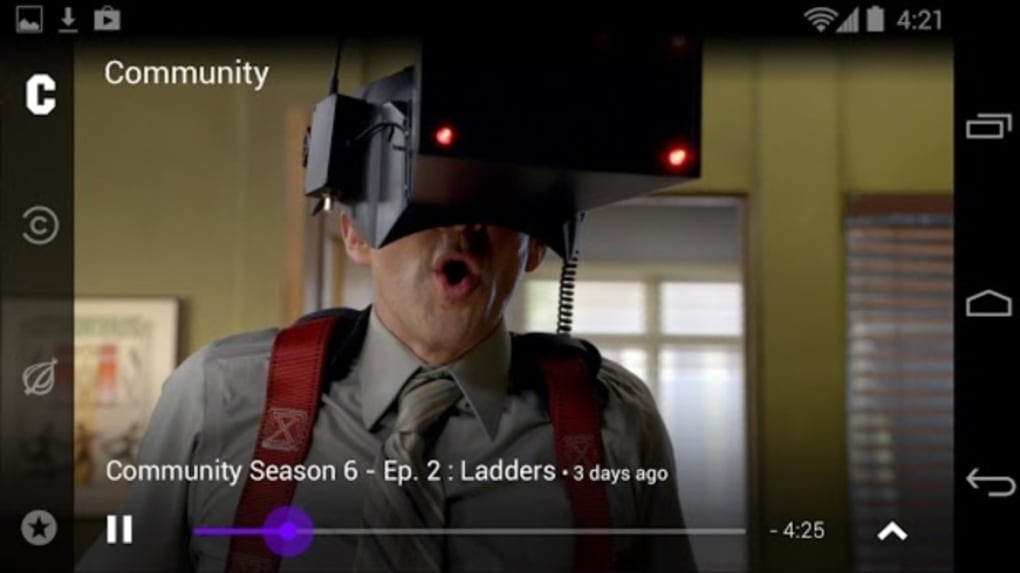
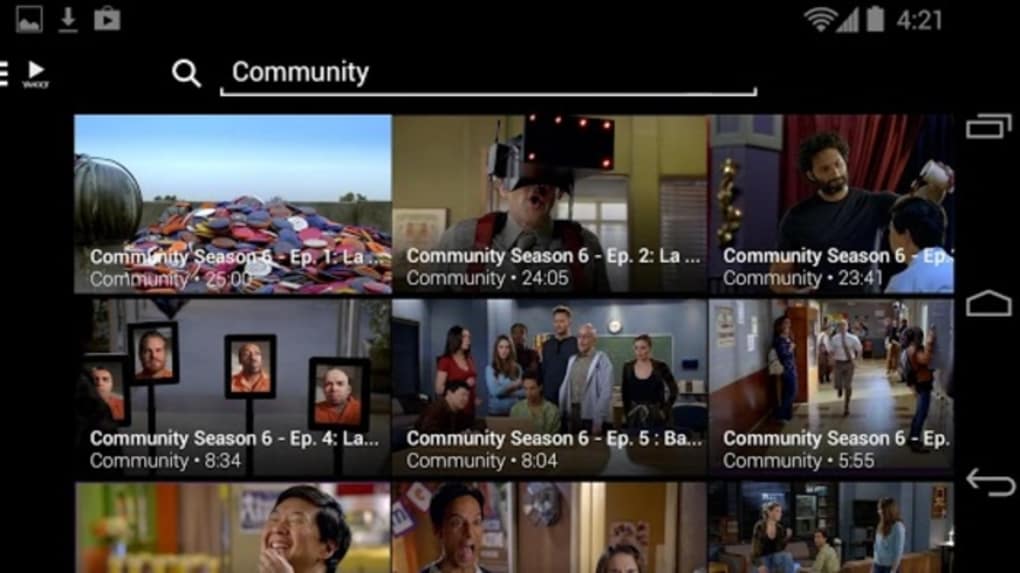
The user interface of Yahoo Screen is structured around a clean, media-centric layout with categorized content sections. Navigation is primarily vertical, with a sidebar or top menu for accessing different content sources and a main feed displaying thumbnails and titles. The workflow is straightforward: launch the app, sign in if desired, and browse or search for videos.
Playback begins immediately upon selection, with minimal buffering reported in typical usage scenarios. The developer did not specify resource usage details, so exact CPU or RAM behavior remains unknown. Performance observations are based on general software behavior patterns for similar streaming applications.
Stability appears consistent across tested platforms, with no widespread reports of crashes or freezes. The app maintains a responsive interface during playback, and transitions between videos are smooth. However, without official performance benchmarks, definitive claims about load times or background activity cannot be made.
Overall, the app delivers a functional and intuitive experience for casual video consumption.
Compatibility & System Requirements
Yahoo Screen is available for Windows, Mac, and mobile devices, offering broad platform access. The software version is 1.0.0, with a file size of 200 MB, indicating a lightweight installation. The developer did not provide additional system requirements, so compatibility with specific hardware configurations remains unclear.
Exact system requirements were not listed, and information about minimum processor speed, RAM, or graphics capabilities is limited. Platform compatibility information is partially provided, and users are advised to ensure their device meets the standard requirements for running modern desktop applications. The app is designed to function on mainstream operating systems, but no specific version numbers for Windows or macOS were included.
Installation is straightforward, with a standard setup process. For users on older or less common systems, compatibility may vary, and testing is recommended.
Pros and Cons
Pros
- Centralizes content from multiple entertainment sources in one place
- Supports personalized feeds via Yahoo account sign-in
- Available on Windows, Mac, and mobile devices
- Simple, intuitive interface ideal for casual users
- Free to download and use with no in-app purchases
Cons
- Does not offer full-length content or live streaming
- Limited to content from specific partner networks
- No official system requirements provided
- May offer little value if users already follow sources directly
- Performance details not disclosed by the developer
FAQ Section
Is Yahoo Screen available for Windows and Mac?
Yes, Yahoo Screen is available for both Windows and Mac operating systems, along with mobile devices.
Can I use Yahoo Screen without signing in?
Yes, the app can be used without signing in, but personalization features such as customized feeds and viewing history will not be available.
Is Yahoo Screen secure to download and use?
As a product developed by Yahoo, the app is distributed through official channels. It is recommended to download from trusted sources to ensure security.
Does Yahoo Screen require a subscription?
No, Yahoo Screen is free to download and use. There are no subscription fees or in-app purchases required.
Can I watch videos offline?
Information on offline viewing capabilities was not provided. The app is primarily designed for online streaming.
Final Thoughts + CTA
Yahoo Screen delivers a focused, user-friendly solution for accessing curated video content from major entertainment brands. While it doesn’t replace dedicated platforms like YouTube or Netflix, it excels as a consolidation tool for users who want to catch up on highlights from Comedy Central, Buzzfeed, VEVO, and Yahoo Originals in one place. Its cross-platform availability and free access make it accessible to a wide audience.
The app is best suited for casual viewers who value convenience and content aggregation over deep customization or full-length video access. For those already following these sources directly, the added value may be limited. However, for users seeking a simple, centralized way to browse entertainment clips, Yahoo Screen offers a practical and efficient option.
Download Yahoo Screen now to streamline your video viewing experience.





.png)

